Friday, June 10, 2011

Fear It! Or Embrace It!

Hello, Video StoryTeller!™ Associates! And those who would, are thinking about or hear of this awesome global branding and marketing program focused on the sharing and preservation of people's personal stories and memories.

Just in case you’re wondering about the potential, viability and popularity of our worldwide branding program, I thought I'd share a link to a TV station feature with you. Interestingly, this is one of three senior communities fellow VST Associate Jim Nicholson sent information to last year during a marketing drive introducing his VST program, the brand, and offering his professional production services.

While Jim didn’t manage to gain entry to these particular prospects, they certainly seemed to like the idea, taking it and doing their own thing for the residents ... getting local television station coverage of the drive to preserve people’s stories.

We can fear this, or we can embrace it!

I think such situations are “embraceable” because they validate our program to the max! This is why I’m sharing the link with you and urging you to share it with your fellow video producers and prospective clients. To inspire you with the prof and knowledge that there is a massive, broad interest in the sharing and preservation of people’s stories. Our slogan is so true: EVERYBODY HAS A STORY!

It is especially invigorating to realize that VST is the catalyst behind this Lancaster group’s thrust to preserve community resident’s stories. And, while their interest is self-serving, to the extent they’re doing this ONLY in their local community, it means WE can utilize the reality of this small news channel special to underpin our own programs ... not only to other senior communities, using the clip to support the fact that people desire to preserve their histories, stories and memories, but with countless other clubs, groups and individuals as well.

Take a look at http://www.wgal.com/video/28102497/detail.html?af=lan and share with me, and our other VST Associates, what strikes you about the movement we helped generate, how we can utilize this movement to the mutual benefit of our VST program, and for those who join us in perpetuating the brand around the world.

Nicholson is currently our Pennsylvania VST Associate. He continues to promote and market Video StoryTellers!™ throughout his service area, as well as among his fellow video production and independent business contacts. He is a true and very active VST disciple. It is through his personal marketing efforts that the Lancaster group kicked off its own effort to pursue story/memories preservation.

Jim is working toward developing a way to take advantage of the community’s “in-house” attempt and generate interest with other communities, clubs, groups and families in the VST Program approach. Nicholson also “discovered” this human interest feature, and another that he’s trying to locate so it can be shared with the rest of us.

Thanks Jim!

Remember: If you market, you will make it! © 2011 Earl Chessher

Tuesday, May 31, 2011

Three Steps to Making More Money with Video

MONTAGE PRODUCTION IS PROFITABLE!

I average $300 a week producing music/photo video montages.

I’ve been doing these for years now and have honed the process down to the point where, if I had three of them a day, I could easily create these productions and still have time to take care of other business, enjoy getting out, reading a good book or even occasionally going to bed early.

I have three basic creative montage levels, each of them offering a different approach to the standard montage production, or a mix of one, two or all three, depending on the number of images used and music selection length.

The GREAT thing about producing montages and offering a range of creativity is that I can start with a really GREAT product at an affordable and popular price level, then ramp up with other elements that many clients are willing to pay extra for.

The Complete Guide to Photo/Music Montage Marketing and Production will be released this year. Watch for announcements here, and on Twitter and Facebook, as well as several video related forums where I participate.

FUNERAL VIDEO PRODUCTION IS PROFITABLE!

I average $500 a week, spread out annually, in Funeral and Memorial Video Productions. After quite a few months of developing direct-mail letters, DVD samples and direct-mail post cards, I’ve managed to generate good relationships with a number of funeral/mortuary/cemetery establishments, funeral officiants and church officials. Many of these now use my services as their preferred/referred vendor for end of life, celebration of life and memorial video production needs.

While developing this business program can be a challenge, it is absolutely a do’er and anyone putting some effort into developing a valid funeral and memorial video production service can average $25,000 or more a year. Combined with memorial photo video montage production services, an independent video services provider can average $40,000 or more a year, working alone and full-time.

The book that tells you how: “They Shoot Funerals, Don’t They” is now available and has received solid reviews for its quality and content. It truly has everything you need to know, including real-life stories, forms, direct-mail examples and more. Check it out today at http://lulu.com/spotlight/Earl and order this resource publication that will help you approach a seriously under served market with confidence.

BASIC WEDDING VIDEO PRODUCTION IS PROFITABLE!

I average $10,000 a year with easy-to-produce, basic wedding video productions that don’t eat up all my spare time, weekends and holidays or make me pull my hair out during a 60-hour editing marathon.

You can be a video artist or essentially an independent wedding video businessperson and make good money without having to work as hard as some in the wedding video production business do. You just have to learn how to keep a firm balance between your Michelangelo and “Business-angelo” sides, focusing on good shooting, editing and production techniques that don’t take you 40 hours, several weeks, months or years to deliver.

There are many in the 80 percent wedge of the bridal community pie who don’t even WANT a wedding video, who could be convinced if the price, services, turnaround time and quality were more in line with their budgets, their expectations and their real video production needs.

Instead of fighting over the 20 percent or so group of brides who are sold on video and want it, and sometimes will do whatever it takes to get it, take a stab at convincing that HUGE other source they might like to have a video production of their wedding event after all.

The Basic Guide to Profitable Wedding Video Marketing and Production will provide you with some concepts that are already in play but either over used or under delivered, along with several approaches that are overlooked by many in the wedding video production industry. This valuable video business resource will be released this year. Watch for announcements here, and on Twitter and Facebook, as well as several video related forums where I participate.

Remember: If you market, you will make it © 2011 Earl Chessher

Another GREAT resource for video ideas, tools, marketing hints and suggestions is In the Viewfinder, a video business blog by Jay Michael Long of JML Multimedia, Mississippi. Check him out at http://intheviewfinder.blogspot.com

Also, check out Bill Mecca’s popular Video Quick Tips series, a LOT of good, easy, quick and affordable approaches to improving your video production abilities.

Thursday, May 19, 2011

Wednesday, May 11, 2011

How Much Do You Love Doing Weddings?

Tell me again, how much you LOVE doing weddings. Tell me how “easy” they are to market, videotape, edit and produce. Tell me you NEVER experience frustration, burnout or other cycles of mental fatigue as a result of too many (or too few) weddings over non-specified periods of time.

And tell me again why it is that you focus all your energy (part time or full) on marketing, acquiring, bidding or begging for them; spend hours of your lives each year preparing for, schlepping equipment to and working weekend bridal fairs; buying vendor, DJ, wedding planner or photographer lunches; constantly revising and updating your website, website samples and related marketing materials such as business cards, brochures, full-production demo DVDs; why you spend all that time, energy and money to produce (what? maybe?) a couple of $2K wedding events a weekend?

Why are you working 10, 12 or more hours on a Friday, Saturday and/or Sunday, attending pre-event rehearsals where absolutely NOTHING that is rehearsed happens the WAY it was rehearsed at the actual event? Why are you bargaining with the bride and groom who KNOW they WANT a wedding video (some of you call it, your productions, “film” even though not one second of your work is actually produced on FILM) but do not value it enough to not haggle with you on price, or attempt to get you to “match” a price given them by their cousin who just got a consumer camcorder for Christmas?

Why are you putting in 20, 40 or 100 or more hours editing what has become a “labor of love” (REALLY?); spending time devising replies as to why the production hasn’t been delivered as promised? Why was it promised (in some cases even I used to make a four-week delivery guarantee “or your money back” to set me apart from my competition.) in weeks, months or years, only to take months, years or NEVER to get done?

Why are you taking on more, advertising and marketing for MORE business when you cannot even begin to reduce your current backlog; when you fight that endless vicious cycle of burnout, frustration and LIFE, juggling a REAL or full time job, family, illness, and all that beautiful, warm, wonderful and fabulous wedding video editing with all those kind, considerate, loving, patient, unassuming brides breathlessly waiting for months, even years, to see their video? Why all this, at no profit whatsoever; all this expense and work for an underpaid, under-appreciated production that has created ulcers, caused prominent headaches and sometimes divorce or failing partnerships?

Why are you putting forth all this effort, money, time and uncompensated hours of fast food, dirty coffee cups or empty RedBull cans, and battling against a HUGE, HUGELY competitive market where EVERY person with a camcorder, if nothing more, is attempting to claim a sniff, a smell, a touch, much less an actual TASTE, of the roughly 22 percent wedge of the bridal community pie that actually WANTS a video (er, uh, “film”) of what so many of us remind them is “The most important event of your life!”?

Diversify! Expand your focus. Even if you’re ONLY a weekend warrior (or “worryier”) putting in evenings and weekends in an effort to get your productions delivered, there’s millions more birthday, anniversary and milestone event celebrations held on a daily basis than there are weddings. The pie is much larger and I can assure you that the size of the business pie wedge of people who will pay reasonable fees for quality audio/video productions is is HUGE compared to the roughly 22 percent wedding video business wedge.

And if you’re full time. WOW! Think of the shorter, quicker, easier, less complicated, higher profit generating events you can now market and acquire!

Wedding video production is BAD?

No! But a part time or full time independent video production business based on a blend of wedding gigs you WANT and can be selective about accepting based on profitability rather than bargain basement competition (yes, YOU accepting instead of the other way around), combined with the awesome amount of potential event video production business held OUT THERE on a daily basis is a much less severe and overwhelming crunch on your bottom line and the life you try to live between gigs.

Remember: If you market, you will make it! © 2000 - 2011 Earl Chessher

P.S. Well, saw where my Marketing Challenge had no takers. Good to know that business is booming for everybody but me ;-)

Saturday, April 23, 2011

Marketing Challenge for ALL!

This is nothing I’ve not written about before, here or elsewhere, but as all of you who follow my articles know by now I am a strong believer and proponent for low volume (small batch) special interest postcard direct-mail campaigns.

This time, however, I’m issuing ALL WHO READ THIS A CHALLENGE! I want and expect commitments of 30-, 60- 90-day, six months or one full year from each of you. I DARE you to do this and at the end of your exercise tell me you gained nothing from your participation. That you failed to get one phone call, e-mail inquiry or website visit. More, that you failed to get at least one gig from your campaign.

Ignore what you’ve previously experienced, read or heard (except here, of course ;-) about direct-mail marketing. Open up your minds, engage your willingness to suspend disbelief, and THINK about what I’m asking you to do ... fairly and objectively. Then, let’s see how many of you are willing to commit to a specific period of time by responding NOW in “comments” below, and occasionally for the duration of your exercise. Let’s see how many will seriously accept the challenge.

Then, bring on the comments! Let’s share and learn from your individual experiences by either e-mailing me direct reports, or posting comments here. I will commit to providing blog updates as the program grows and continues. Let’s hear the results, positive, negative or neutral.

WHAT ARE YOU TALKING ABOUT?
Any of you who’ve read my articles know I’m a firm believer in small direct-mail postcard campaigns focused on specific areas of interest: dance schools, school events, youth sports groups, and other clubs, groups and organizations from community playhouses to community center activities.

What I mean by “focused” and “small” is less than 100 units per campaign and as mentioned above, postcards designed to appeal to a specific area of interest.

HERE’S THE CHALLENGE!
Do a Google search or use any other method of identifying ANY facility, school, organization, club or group(s) of interest within your service area. Get addresses and as often as you can GET NAMES! Someone to address that postcard to: the counselor, owner, director, choreographer, events planner, organizer, pastor, etc.

DESIGN A POSTCARD with minimum wording, a call to action and a promise you CAN keep: special price, introductory offer, no minimum sales, etc. — something that appeals to the ever-present question “What’s in it for me?” EVERYONE you try to sell something to will ask, and not always aloud.

COMMIT TO MAILING a minimum of ONE postcard a day, on average, (that’s right JUST ONE, although MORE is better) and stick to the commitment. It takes just a few minutes to come up with 30 or so viable addresses, and often names, for most active events. Ten minutes, or less, a day if you ONLY look for one, identify it, address the postcard, stick a stamp on it and put it in the mailbox.

KEEP A RECORD of what happens. What interest group(s) you select. Who you mailed to. How many you mailed. How many responses you get. How many sales, gigs or opportunities you received. Then come here and share your “updates” with the rest of us for the duration of your commitment.

YOU WILL ENJOY a better than five percent response. I’ve been doing this for years and I’ve averaged an eight percent or better response to each and every direct-mail campaign and batch. I’ve ALWAYS done better than break even when factoring in my costs and time, always getting MORE business income than what I invested. Yes, a REAL R.O.I. (return on investment)

THE SECRET TO SUCCESS IS
Persistency, consistency, commitment WILL generate responses and business. You ARE gaining eyeballs, and TELL yourself this until you believe it, even if you DON’T receive even ONE response over a 90-day period. People WILL read your postcards, many of them will save them for reference purposes because even if they don’t perceive a need today, they will want to keep it as a resource for tomorrow’s, next week’s or next month’s special party or event. They often find themselves in need of a replacement vendor either because they’re displeased with them or they had one flake out on them at the last minute.

These reasons and more have resulted in my getting gigs over the period of many of my direct-mail postcard campaigns.

Keep records, because you WANT to repeat mailings, either with the same direct-mail piece or a new one, but still with your prominent business name and branding present so you continue with the association, visibility and linkage, and familiarity that comes from repeated exposure.

DON’T however overdo it by getting rambunctious and saturating your address lists with something akin to SPAM or JUNK MAIL. That is counter-productive, guaranteeing a negative return and 100 percent direct-to-trash response.

Make your postcard content simple, compelling and ALWAYS include a call to action: “Call NOW!” or “ACT NOW!” or “E-MAIL TODAY!” or “BOOK TODAY!” so on and so forth.

Just do it! And share your results with the rest of us. I personally look forward to many glowing reports of positive limited run, direct-mail postcard, special interest campaigns over then next 12 months.

Remember: “If you market, you will make it!” © 2004-2011 Earl Chessher

Wednesday, April 13, 2011

Preaching to the Choir

This post isn’t for everyone ...
... well, yeah, I guess it IS for everyone! Me included. It’s about marketing and what drives us, what compels us, what moves us into action. It’s also about what prevents us from doing what it takes, going where we need to go to accomplish success, make positive things happen not only in our personal lives, but our business lives as well.

Throughout this blog, over the years, I’ve focused on aspects of business ranging from new concepts, tried and proven new ideas and programs, with emphasis on marketing and “working the program” to accomplish something, anything, in your personal business. Specifically, my articles have primarily focused on these subjects as they pertain to video — marketing, production, development, creation, sales, promotion, business.

Generally, the blog articles that have been published here since 2004 contain principles that, while specific to video, can be applied to not only ANY business but to our personal approach to life as well. I often refer to a calendar my late Mom once gave me as a present, one of those with the pithy sayings and encouraging comments shared daily to help inspire the reader to new lofty goals. The ONE page that stuck with me more than any other said: “Great ideas won’t work unless you do!”

And this is true! Sadly, it is counter to human nature to follow through with the actions necessary to make those “great ideas” work. Many of us stop just after having a Great Idea, satisfied that we’ve managed to have one at all, but not willing to go the distance needed to carry such an inspirational thought to fruition or success much less existence. And this tendency, my dear readers, is what today’s article will focus on.

Great ideas truly will NOT work unless we do. A rare few humans in the world have the determination, self-motivation, belief, drive, ambition, energy or personal stamina to pursue a great idea to the point of accomplishment. We are victims of fad diets, temporary inspirations, fleeting ideals that kick up our adrenalin levels momentarily before we slip back into our safe comfort zones and relax in a state of stasis.

There are literally thousands of self-help publications, Internet articles, make money, lose weight, get healthy and more sources of information that inspire yet languish. An idea or concept gets hot, goes viral and millions (sometimes) invest, copy or borrow from the latest craze only to peruse the cover, delicately test the waters, then save it to a file or place it on a closet shelf or in a junk drawer — never again to be sought out, read or referred to.

Our general lethargy and laziness makes success difficult for the majority of us. Our tendency to find good, even GREAT ideas, concepts and programs, then begin to justify why we do not pursue them is overwhelming. So many of us spend MORE time avoiding than confronting.

I have a son whom I often accuse of expending more time and energy to figure out how to NOT do something than he would if he simply DID it! To a degree the vast majority of humankind is of this nature. We work harder to avoid than we ever would if we actually took on a Great Idea and tried to make it work. We all spend a great portion of our time seeking get-rich-quick schemes, lose-weight-fast fad diets and diet concepts, and spend-a-little-to-make-a-lot concepts, and proportionately very little time, effort, energy or money actually developing an active, aggressive approach to such accomplishments.

MARKETING
The single, most affordable and simple solution to business success is marketing. Specifically, direct-mail marketing. When was the last time you mailed a postcard, letter or sample DVD of your work?

When was the last time you sent more than one? One a day? For three months, six months, a year or more? Thought so. I even lapse into periods where for no logical rhyme or reason I slack off doing this persistently and consistently, and when I do business falls off rapidly and sharply.

When was the last time you updated your website, checked to be sure all the links and connections still work, added some new materials and removed old, outdated content? I recently researched a boatload of websites where the “last updated” or latest copyright notification was as long ago as 1999, many in the 2004 range and a huge number haven’t been changed in any significant way, based on update or copyright notice since 2007.

In this day and age of multi-level marketing and Internet, along with social network options, a day is often too long between adding fresh, new materials, updating and removing old, outdated content, or simply establishing a new sense of vitality to your business presence. I plead guilty to the same ... look how long it has been since my last blog post on E.C. Come, E.C . Go. At minimum I should have something weekly, but I’m a long way from that reality. With the current load of personal and business marketing, production and program development I do good to post monthly.

Consistent and persistent focus is difficult to sustain ... human nature.

I promote and offer two vital programs for folks wanting to get into the video production business — “They Shoot Funerals, Don’t They” a book on funeral and memorial marketing and production, and a global branding and marketing program called Video StoryTellers!™ (VST) as well as a host of other and forthcoming resources, along with a huge number of informational articles on this blog.

Many have inquired, a few have purchased or invested, none ... well, other than Artis White, Flex Media Productions, and probably Nishi Dias, both self-motivated professionals who have purchased the funeral and memorial marketing and production book ... have taken their efforts to the next level.

Pamela Dahlgren of Michigan, John McDaid of Arizona, Fred J. Claus of New York, Mike Schiedermayer of Wisconsin, Jim Nicholson of Pennsylvania, Heidi Mueller of Canada, Luis O. Maymi of Puerto Rico, and others have invested money, time and/or energy into developing Video StoryTellers!™ both individually and as a brand and program for new independent professional video services providers (IPVSPs). They all are at one stage or another in pursuing and developing their VST marketing and production strategies.

WORK THE PROGRAM
There are possibly two approaches toward life, business and success in either — make it happen or let it happen. A large number of people in the world fall into the latter category ... they “let” things happen, then react, or not, and see where it gets them.

It is my personal opinion that those who operate from this perspective find fewer satisfying moments in their pursuits. I strongly believe that folks who work hard, invest time and money and energy into “making” things happen, to take the initiative and establish the directives that get something going, get something done, achieve a higher, more consistent and satisfying level of success than the others.

Even an on again, off again approach to “making” it happen is better than a full-time philosophy of “letting” things happen. Action vs reaction — there’s something awesomely powerful in taking action and seeing your focus, your efforts bring fruition.

Anyone remember former John F. Kennedy’s “Ask not ...” speech? Well, the same can be applied to programs purchased, resource materials borrowed and read, investments made and efforts expended. It isn’t so much what these elements can do for you, it is what you can do to make them WORK for you.

Whatever it is you desire. Whatever it is you believe in, work at it — make it happen! When you make a decision to purchase “They Shoot Funerals, Don’t They” don’t simply buy it and read it, then put it on the shelf. Take this valuable information to the next level and TRY some of the proven techniques offered, LEARN from the real-life experiences shared by the author.

And when you run into a wall on your first try, don’t stop there, accepting defeat. It is a proven fact that consistency, persistency and tenacious application of proven techniques and approaches DO work, but ONLY if you stay with it. Repetition, visibility and linkage are the secret to success.

Kenny Rogers sings “you gotta know when to hold ‘em, know when to fold ‘em ...” but there’s a HUGE chasm between an effort in futility and the futility of further effort. What’s that saying? The cliché? “No pain, no gain?” Well, it doesn’t necessarily have to HURT, but you should feel some degree or combination of exhaustion/exhilaration in the process of reaching for success in any program or adventure — most especially in business as an independent.

When the information from which you’re working is solid and based on proven facts and strategies, then working the program will ensure that the program works for you. After all, Great Ideas won’t work unless you do!

Remember: If you market, you will make it! © 2011 Earl Chessher, CorElAnn Video Productions, Video StoryTellers!™

Wednesday, February 16, 2011

Delivering Video on Thumb Drives

There are a number of ways to present your video on a thumb drive instead of a DVD, Video CD or on hard drive. Your method will depend not only on what operating system you use, or want to provide your product for — linux, PC, Mac, etc. — but what type of playback quality you want to deliver.


Many clients are still satisfied with standard definition. Others will want, desire or demand high definition or Blu-ray capabilities. Some will have the means for playing from a thumb drive on their computer via an available USB input. Some will have one of several choices of systems for playing from their computer and viewing on their television. And, of course, many televisions are beginning to come equipped with an USB input.


There are also a number of players capable of utilizing thumb drive playback ability, one of which is the WD TV by Western Digital that converts your USB drive into an HD media player. Again, this is not the only choice. Some clients and video producers will have higher needs and expectations, others ... well there are choices for playback and compatibility and it is beyond the scope of this article to address all the specifics and specifications of delivery for USB or thumb drive on video.


Many who have already developed an approach for ripping DVD content to a hard drive using one of many available programs, such as Mac the Ripper, HandBrake, etc. Being Mac centric myself, I will basically provide general information here for preparing DVD content for presentation on a USB thumb drive. Similar, even identical information is available for other computer platforms, formats and operating systems. Just be aware that it can be done, and the most popular formats are platform universal. People just need to download the preferred player for their computer.


Other programs include VLC Media Player, DVD Shrink and DVD Decrypter, all creating a VIDEO_TS folder and a number of files ending in .vob. Programs are available to then generate the more compressed formats you might want to try using. Again, it all depends on the quality and capacity of your USB drive. For purposes of conversion from one video format to another Wondershare Video Converter Pro is an affordable commercial alternative.


For quite sometime now companies like Disk Makers have provided not only duplication services for creating branded thumb drives for content delivery of more than just video. Disk Makers and others also offer multiple USB drive duplicators much like the older DVD tower duplicators, making in-house duplication of video and other digital product a reasonable, but still way more expensive, alternative for independent product developers and video producers.


Thumb drive delivery is still expensive when compared to the cost of DVD duplicators and blanks, the USB thumb drive has continued to grow in use to the point that virtually anyone with a computer knows what a thumb drive is, uses or owns at least one or more of varying capacity. It was inevitable that this media would find its way into the delivery mainstream for video and the video production market. There are even companies developing, or who have announced technology that they hope will enable commercial movie download and delivery to not only thumb drives but SDHC flash memory cards. Naysayers, however, predict that this unique delivery system is far from being commercially viable, or practical. But for the independent producer, it is easily done now.


To provide product on this media you will need to decide how you plan to deliver. There’s a wide range of format options from MP2, MOV, AVI and more. For my clients who are Mac users I can simply save a QuickTime movie file to USB and voila, done! At least for computer playback. Would that all could be that simple, right? Not gonna happen.


Larger capacity thumb drives can handle bigger files. Of course you know that, but one-to-two-hour productions and movies can fit on a USB drive as small as a gigabyte (1GB) if compressed to MP4, variations of H.264 or AVI. The length of your production is key to quality playback success.


Everything depends on factors such as desired playback quality, storage capacity of the drives (more expensive) which calls for bigger budgets on the part of your clients. And while it is nice to have branding of your company name or logo or website, etc. that too will increase the costs for delivery. If you have, or can develop, the market you can work out the cost issues based on your client needs and their ability to pay. For a fortunate few, cost is no object.


Using HandBrake, for example, pretty much all you need to do is rip the contents you want to install on your thumb drive. Convert to MP4, if that’s what you desire, by selecting the iPod option under presets. You select your USB drive as the destination and the video will save to the thumb drive.


There’s a lot more to it, if you want there to be a lot more to it. You’ve got decisions that include development of product from Flash (FLV) files and a host of compression ratios that can factor in, as noted earlier, depending on drive capacity, program/video length, desired playback quality and cost considerations.


What you deliver on a thumb drive, product-wise, is more of a concern than how you deliver on one. When you’ve decided on the variables just know that there’s an even chance of finding a suitable compromise between quality and costs, convenience and compatibility if you want to consider delivery on flash drives.


Delivery on USB, thumb drive, flash drive, whatever you want to call it, can be as simple as exporting a movie to MP4, saving it to your USB drive, plugging it into a compatible television or auxiliary player/converter, or properly connected computer, finding and selecting USB from the source command and hitting play.


In my humble opinion, however, while delivery of video product on a USB drive can be novel, convenient, perhaps even desirable, it still is not economical. And not really all that convenient compared to DVD delivery, or the widely-available capability of conversion to any number of formats for storage and playback access on everything from a cellphone to a popular game product such as the XBox.


Economically speaking: you spend a half-dollar, or less, for a DVD blank, and burning Blu-ray now comes in under a couple of bucks, both with significantly greater capacity than a comparably priced thumb drive. Even if, or when, thumb drives get to the buck or less per gigabyte cost, that’s still way more than what you pay to deliver on disk, notwithstanding all the other elements to consider — duplication, branding, and the fact that these puppies are a whole lot easier to lose than a DVD or Blu-ray disk in a nice library case that not only carries your branding (easily done in-house for pennies) but some pretty sophisticated custom graphics personalized for the client as well.


So, if for whatever reason you want to do it, by all means go with a minimal “wow” factor with branded (or not) thumb drive video delivery, but if you’re still looking at quality of presentation, value and cost-effectiveness, a printed case containing a quality product with printed graphics is still the market and delivery king. You can either be miles ahead of your time with something that isn’t guaranteed to be universally adaptable, and can result in client complaints or other problems, or be assured that you’ve got many more years and good mileage left in your disk delivery system.


Oh, and keep in mind that it’s usually going to take you longer to get the product ready for thumb drive delivery and ready to hand over to your client than the more conventional and universally accepted and player friendly DVD disk. I have to say, however, that today’s systems and thumb drive quality, notwithstanding costs, will often meet or beat the time it takes to burn the same video content onto a disk. How much sweat and experimenting went into getting the files ready, and of the desired quality, however, might be the tie-breaker.


Regardless of your purpose or intent, or media selected for delivery, remember: If you market, you will make it! © 2011 Earl Chessher

Sunday, February 06, 2011

A Roadmap for Beginners, Part 4

Practical Business Aspects of Video Production

Introduction
In the previous article we covered the general business concepts as they apply to videography. You may well ask, why should I bother with all these business concepts, can I not just do video? Of course you can. But by becoming a formal business, it will bring in money and will save you money. That alone should make being serious about your business worthwhile. In this article we will focus on the practical aspects of a video production business.

Your Name
Your business, whether incorporated or sole proprietor, must have a name! It is how the world will identify you. The name you chose for your business will depend on the image you want to portray and also your target market. If you want to specialize in legal videography, your approach will be more formal, but if you plan to specialize in training videos for kids your approach will be less formal.

You can make your name reflect the type of services you provide, e.g. ABC Wedding Videography, or J&J Legal Video Services. Another option is to build your location into the name, e.g. Vancouver Video. All the above examples have “video” included in the name so there is no doubt about your kind of business. It is not always easy to find a unique, unambiguous name, so you could opt for something like Penelope Productions, if Penelope is the name of your cat.

While you are considering names, it helps to consider if the name will work for your future website and e-mail address. “Northern California Video Documentary Productions” is really too long to be a domain name or to fit on a standard business card.

If your preferred name is on the long side, you might consider an acronym. For example, International Business Machines became IBM and the website is www.ibm.com

Along with your business name, it pays to also think of a tagline that describes your business further. Say your company name is Denver Docs and then a tagline of “Your Day in the Life Video Specialists” will clarify, assuming that you’re doing legal videos. The tagline will be an important part of your business presence and will feature on your business cards, website and promotional materials.

Getting the Essentials
What are the essentials? Once you've selected a business name, and it has been approved by the appropriate authority in your state or province, the next steps are to get:
1.) a business card
2.) website
3.) e-mail address
And start using them! That will go a long way to getting your business known in the community.

Before you can get the essentials, you need to come up with a logo and a color scheme. This is a rather specialized endeavor and unless you have strong graphic design skills, it would be worth spending some money to get a professional graphics designer to help you. Often you can get a graphic design student at your local college at a reasonable rate. This is not something you want to skimp on! Get your graphic designer to give you the artwork both in high resolution eps format, and in jpeg format for general use.

Once you have your logo and color scheme sorted out, you should now turn your attention to your website! The starting point for getting your website and e-mail is to register a domain name and set up a web hosting account. If this is Greek to you, as it is to most of us, then you should hire the services of a web designer. We do provide a training course that will take you through the steps of designing your own business website — it requires quite a bit of learning new concepts, but will be worth the investment in the long run.

Bookkeeping
In the introduction we mentioned that formalizing your business will save you money. How so? Well, as a business, you will be entitled to write off business expenses as a tax deduction. So paying for a graphic designer and a web designer = tax write-off; meeting a new client for lunch = tax write-off; having your work vehicle serviced = tax write-off; buying a new HD video camera = tax write-off! You get the message ...

Talk to an accountant in your area about what possible tax write-offs are available and what records you need to keep so that you don’t have problems at tax time.

Business Community
You are now part of the business community. One of the first things you need to learn is that you do not save money by trying to do everything yourself. It is a trap many beginning IVSP’s (Independent Video Service Providers) fall into. Indeed, you save money by spending it — buying services from other businesses in your community. Remember, in the long run it is a tax write-off! For example, don’t try and design your own business cards. The local printer in your community can do it faster and better than you can. How can you expect people to use your services if you’re not prepared to use theirs?

But there is another advantage in using the services of other businesses. You become known as a real, serious business. Don’t be surprised if the local printer, who has just printed your XYZ Video business cards, does not refer one of his other clients, who happens to need video work, to you!

Another big advantage is that it frees you up to focus on your business. Use the time to do marketing of your business. If you market, you will succeed. We have a very practical course on marketing.

Contracts and Costing
Just how much should you charge for your work? How do you make sure you get paid? Valid questions for sure!

Here’s a simplified explanation of how to cost a project. Assume that you need to earn, after expenses, $3,000 per month. Then assume that you only work 50 percent of the time on video work — the rest of your time is taken on administration things such as marketing, learning new skills, etc. That means you need to bring in $6,000 per month. Add that to your expenses of, say $1,000 per month. While a month has about 160 working hours, you will be doing 50 percent productively i.e. 80 hours. That means you need to charge $80 per billable hour.

That might sound like a lot, but realistically, you will pay about $100 per hour at the hairdresser, and even more to have your car serviced. That means when you are costing a job for a client, you need to estimate the number of hours the task will take and multiply that by the hourly rate. There are several other factors to consider, but that’s the overall concept. We go into more detail in our course on the contractual aspects of videography.

Your Equipment
At the end of the previous article we advised against investing in more professional equipment at that point. Part of the reason was that you should only do that once you have formally established your business. That way you could benefit from the tax credits when you buy your equipment.

You are now at the stage where, funds permitting, you could consider investing in professional equipment. There are many factors to consider. For example should you buy, lease or rent your equipment? Always get the best equipment you can afford, the pleasure of using reliable professional equipment will last long after you have forgotten the pain of the cost. Besides, much of it is, yes you guessed it, a tax write-off! We are in the process of putting a training course together on how to go about getting the right equipment.

A great place to check for equipment, information and pricing, if you’re not already familiar with it, is B&H Photo Video. Start here, or check with the many advertisers who support Videomaker Magazine.

Conclusion
It is impossible to cover in a short article like this, everything you need to know about the business of video production. Hopefully we’ve highlighted the important concepts that we’ve learned after many years experience in the field. We wish you all the success and do let us know how you make out.

Heidi Mueller, New Westminster, BC, Canada, is an accomplished video producer, web site developer/designer, writer and course developer for adult classes on a variety of subjects. She is a frequent contributor to E.C. Come, E.C. Go and was recently the featured contributor of a four-part series on WordPress for web site creation.

Future articles will continue focus on the business aspects, and business concepts, plus proven business ventures for developing successful marketing niches in the wide world of video production. NOTE: a number of products and programs to teach and enhance your video production experience were mentioned in this article. Become an “EC Reader” today by clicking the link and you will receive information regarding their release as they become available.

For more great information about the world of video production be sure to visit J. Michael Long’s blog at In the Viewfinder. There’s a bounty of good input at the following forums as well: Videomaker and DV Professionals.

Remember: If you market, you will make it! © 2000-2011 Earl Chessher

Friday, January 28, 2011

A Roadmap for Beginners, Part 3: Videography as a Business

Introduction

Congratulations! If you’ve followed the roadmap as described in the first two articles, you are now a graduate of the real life school of videography. If you add up the number of hours you’ve invested you really deserve a degree! You’re now a professional and can rightfully earn money for your work. So in this article we will look at the business of videography.

Types of Videography Business

There are basically two main types or categories of videography business: the independent video service provider (IVSP); and the vid
eo production company. Which one is for you? Of course, that depends on you.

Video Production Company

A video production company specializes in making and selling movies. In the old days this was called film making as film was used rather than digital video. Many movies are still shot on film, but increasingly movies are shot on digital video equipment. To make a movie typic
ally requires a team of people: the producer, director, camera crew, sound crew, actors, gaffers and more. A movie takes many months to shoot and produce, and then some more time to market and distribute. That means you need a lot of money to carry you and your team for about a year before your movie starts earning money, assuming that it is good.

If at this point, you feel that movie making is the
way you would like to go, that is wonderful. It is a big step however, so before you do, we strongly recommend three books that are a must-read for you. One is Making it Big in Shorts by Kim Adelman ($3.46 at Amazon), and the second is The Guerrilla Film Makers Pocketbook by Chris Jones & Genevieve Jolliffe & Andrew Zinnes ($32.66 at Amazon). The authors describe in some detail what it takes to shoot, produce and market a movie. (Editor’s note: You might also check out The Documentary Film Makers Handbook, also by Genevieve Jolliffe and Andrew Zinnes)

The third book is Jumpstart Your Awesome Film Production Company by Sara Caldwell ($15.56 at Amazon). Sara interviews many videographers who have successfully started production companies.

Independent Video Services Provider

The second type of videography business is the IVSP. This is typically a one-person business. The IVSP can provide a wide range of video services and the video projects are usually of short production duration as opposed to a movie project that takes months or years to complete. The advantage is the IVSP can expect to earn a steady stream of money more quickly. The IVSP will b
e the focus of the remainder of this series of articles.

From a business perspective, the IVSP is not any different from any other type of small business and will face many of the same issues such as financing, cash flow and so on. You’ll find many articles on small business on the Web and at your local library. We will instead describe those aspects that are unique to a videography business.

Video Business Concepts

Company Issues

Before you can run a business, most municipalities require you have a business license which you have to renew annually. It is basically a tax but it is a good thing to always be on the good side of your local officials.

Then there is the question of the type of your company. You need to register your company with the government. It will either be a limited or incorporated company, or a simple sole proprietorship (the terminology varies from region to region and country to country). If you are registered as a limited liability corporation or incorporated company, the liabilities of the company are separate from you as the owner.

This means if the company fails, then the creditors cannot come after your personal assets (like your house for example). This is clearly a good thing, but it does cost additional money and requires more administration. It also gives your company a little bit more credibility in the business community. Your local chamber of commerce wil
l be able to advise you on how to go about this.

Many IVSP’s opt for a sole proprietorship as it is cheaper and a simpler way to start a business. You can always incorporate at a later stage when you are more established.

Whichever model you opt for, make sure you comply with all the legal requirements. You do not want to start your business on the wrong foot.

Legal Issues

As a videographer, you’ll face a range of unique legal issues. For example, you shoot a video and there is an original painting in the background, do you need to clear the rights? Whether you are a movie maker or an IVSP, you need to own a copy of The Pocket Lawyer for Filmmakers by Thomas Crowell ($19.47 at Amazon). Surprisingly, the book is an easy read, probably because the author is both a lawyer and a videographer. It covers many legal aspects that you ought to know.


Insurance

Insurance costs money and there’s a temptation to ignore it — don’t even think of it! Even basic video equipment costs money, make sure that it’s covered by insurance for theft, loss and damage. If you lose your equipment, you also lose your means of earning an income. You might also have to cancel some contracts, which is not good for your reputation.

It is as important to have indemnity insurance. As an IVSP you typically will work on a tight budget. If you’re on a shoot and a little old lady trips over your tripod and breaks her hip, it would be good if you are covered.

If you’ve started your videography business on the side while you keep your day job, you need not worry too much about unemployment insurance. However, as a full time IVSP, unexpected illness or an accident can mean that you have no income until you are well again. It’s possible to get affordable unemployment insurance for small businesses but you need to shop around.

Conclusion

For most of us as videographers, these basic business concepts are dry as dust, we just want to get to the business of shooting video. Though dry as dust, they are important if you’re serious about earning money as a videographer.

In the next article, we will discuss the more practical aspects of running an IVSP business. We will look at such topics as selecting a name, branding, how much to charge for your services, building a website and much more.

Legal Note: Do be aware that having an LLC or INC. company is no guarantee that some creditors in some instances will not try to make claims against your personal assets. It is important that you seek legal counsel regarding these matters. Comments contained in this article are not intended to imply or provide legal counsel, nor are Earl Chessher or Heidi Mueller licensed legal practitioners. Information contained in this article does not claim to be based on legal fact. Anyone using information contained in this article does so at his/her own risk and Earl Chessher and Heidi Mueller are not libel for any claims real or perceived as a result of action taken based on this information by any reader.

Heidi Mueller, New Westminster, BC, Canada, is an accomplished video producer, web site developer/designer, writer and course developer for adult classes on a variety of subjects. She is a frequent contributor to E.C. Come, E.C. Go and was recently the featured contributor of a four-part series on WordPress for web site creation. Future articles will continue focus on A Roadmap for Beginners, as well as information for intermediate level videographers, and ideas for developing successful marketing niches in the wide world of video production.

Remember: If you market, you will make it! © 2000-2011 Earl Chessher

Monday, January 17, 2011

A Roadmap for Beginners, Part 2

Introduction

In Part 1 of this article series, I introduced a method for becoming a professional videographer without having to go to film school. The method depends on two key aspects: learning from books, and going out and doing small scale projects. If you’ve worked through the first suggested book, The Little Digital Video Book, (Michael Rubin, author) you will now be familiar with your video camera and have a reasonable sense of what it takes to produce a video.

You may also now already have some sense of what type of video you’d like to focus on: documentaries, weddings, short films, and so on. You may of course decide that you are quite happy to continue with small projects like family events and that is quite OK, at least now you know how to make really good family videos!

But if the bug has bitten you and you have decided that you really want to make the investment in time and money to become a money-earning videographer, the remainder of these articles is for you.

Key Aspects

What? Did you say invest money and time? Yes! And I should add commitment. The approach we are describing still requires you to invest and to learn, there is no shortcut to becoming a professional videographer! However, our approach will spread the costs over time to make it more affordable — and cheaper in the long run. You’ll have fun while learning and you’ll start earning money sooner.

We have already introduced two key aspects to the approach: books and actually going out doing projects. In this article we will introduce a third key aspect: video about videography.

Books

We recommend that you aim to purchase at least one book a month. That is a reasonable investment and pretty soon you’ll have a valuable reference library. You’ll find that as you grow in knowledge and experience, many of the books will repeat things that you already know. Of co
urse, a little bit of repetition doesn’t hurt.

In this article we will recommend a number of additional books that still cover principles of videography, but the more advanced aspects of videography.

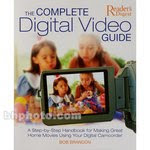
The first book is The Complete Digital Video Guide by Bob Brandon (Penguin Books, $26.95, B&H Photo-Video; $14.75 Amazon). This is a huge, full-color book that repeats the basic principles and then goes intogreat depth on how to tackle specific video projects. Besides being useful, it also makes a lovely coffee table book. The late Mr. Brandon’s book remains a current and informative reference.


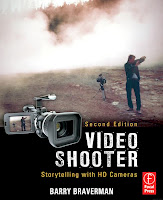
The second book is Video Shooter by Barry Braverman ($17.24 Amazon). This book really goes into the technicalities of digital videography and is probably the definitive guide. It is also a full-color book, well worth the price.

Projects

Books are OK, but in the long run it is experience that counts. Remember success comes from doing, not talking about it. By now you know enough to tackle more advanced project and you’ll start to identify your own projects that you’re interested in. To assist you we will recommend two books that give guidance on how to select and tackle projects. Both are written by seasoned teachers of videography for high school and college students, but they cover different styles of video: documentaries and short films.

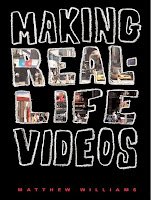
The first book on the face of it is not interesting and has no colorful illustrations but don’t be fooled. It is also a gem of a book. Making Real Life Videos by Matthew Williams ($19.95 Amazon). This book covers the steps in making documentary-style videos in great detail and has many suggestions for projects that you might want to tackle.


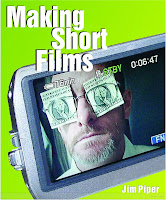
The second book is Making Short Films by Jim Piper
($24.95 Amazon). Short films are a genre that is becoming very popular at film festivals. It is different from the previous books in that it describes projects where you write the script, i.e. the story, before producing the project.

Both these books will cover important topics like project outlines, treatments, scripts and storyboards — fundamental concepts every videographer should know.


Videos about Videography

Most of the books we’ve talked about make valiant attempts at explaining how to use, for example, basic video editing software. It can be quite difficult to visualize the concepts — it would be so much easier if you had an expert that could actually show you
how. Well, you can through the power of video!

Our first recommendation is that you subscribe to Lynda.com. It costs about $25 per month and will give you access to training videos that you can watch and re-watch as often as you like, 24/7 every day of the week! There are training videos on practically all the major video editing software for the PC and the Mac, as well as training on DVD creation software. Having access to these training videos is priceless, it is like having an editing expert on hand whenever you need one.

Video Editing Software

In the first article, we said that any computer and any of the free video editing software products that are included in your computer’s operating system (iMovie or MovieMaker) would be OK to begin with. By now you will have discovered the limitations of that statement. So at this stage we would like to encourage you to invest in more advanced video editing software.

But what to recommend? If you’ve already invested in one of the more advanced editing products we mentioned in the first article, then that is fine, and by all means stick with it and become good at it! However, if you have not, we’re going to make a specific recommendation and explain the reasons why.

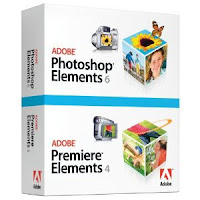
We would like to recommend the combined Adobe Premiere Elements and PhotoShop Elements. This software costs just over $100 ($113.92 Amazon) from Amazon.com.

The reasoning? Besides that it is inexpensive yet very powerful, the software is available for both Mac and PC. Most importantly, there’s extensive training available on Lynda.com. This alone would be a clinching argument but there’s more! Many videographers ind that these two programs are all they’ll ever need. However, you can at any point move up to the full professional Adobe Premiere and PhotoShop programs (that will cost you several thousand dollars) and still use the projects that you’ve created previously with the Elements versions of these programs.

Why include Photoshop? In practically all video projects you will include still photos nd other graphic elements. This is particularly true for the design of DVD menus. Having an easy-to-use program like PhotoShop Elements will soon prove worth its weight in gold!

If you’ve followed our recommendations, we would like to suggest another gem of book: Creating Hollywood Style Movies by Paul Ekert and Carl Plummer ($34.19 Amazon). This wonderful book gives many step-by-step instructions for fun editing
projects using Premiere Elements that will give your video projects pizzazz beyond anything that you had imagined possible! All the video material you need for the projects are included o the DVD that comes with the book. You will learn how to create night vision video, shrink the kids, green screen projects, typical newsroom videos and much more.

Paying Projects

Are you ready to charge for your work? By now you’ll probably be only too ware of what you still don’t know. But don’t underestimate what you already know. That said, you probably don’t know enough, and don’t have equipment that would allow you to charge a full professional fee. But that does not mean you cannot charge at least something. Earning something for a project is a real confidence booster!

Events like school plays are a good place to start. Weddings can be a real trap in the beginning. The starry-eyed couples have a vision of a Hollywood-style production but have a budget of next to nothing. If you make it REALLY clear that you’re just starting out but are willing to help them get a realistic video at their budget, this is a possibility.

At this point by all means make it clear to all you approach regarding doing work for them that you’ve started a career in videography and are looking for projects. At the same time be very realistic about your capabilities. We will discuss the business side of videography in more detail in upcoming articles.

Summary

In this second article we’ve suggested more books to help you on your way to becoming a professional videographer, i.e. earning money using your hard-earned videography skills. We’ve also introduced the third important key aspect of our roadmap, video about videography.

In the next article the focus will shift to specific types of video production, as well as the business side of videography.

Endnote: At this point you might be tempted to invest in a more professional, more expensive video camera. Please do resist the temptation, there will be time enough soon! The reality is that the end result of most of your projects at this point will be a DVD or a video on the Web, and for that, standard definition video is all you’ll need. There are other pieces of equipment that are more important to you to invest in, and THAT we will talk about in an upcoming article.

Heidi Mueller, New Westminster, BC, Canada, is an accomplished video producer, web site developer/designer, writer and course developer for adult classes. She is a frequent contributer to E.C. Come, E.C. Go and was recently the featured contributor of a four-part series on WordPress for web site creation. Future articles will continue focus on development of A Roadmap for Beginners, as well as information for intermediate level videographers, and ideas for developing successful marketing niches in the wide world of video production.

Remember: If you market, you will make it! © 2000-2011 Earl Chessher

Sunday, January 09, 2011

A Roadmap for Beginners

Introduction

A few years ago I decided to become a videographer and make a living at it. As I knew nothing about videography, I thought it would be as easy as buying a video camera, spending an afternoon reading the instruction manual and then getting started — which I did. In a way I’m glad I was so ignorant, because if I had known the very steep learning curve that lay ahead, I would probably never have started. But I’m glad I did.

So just how does one get to know the videography business? You could of course go to film school if you are young enough and can afford it. However, in this short article I will describe a more practical and affordable approach. I am assuming that you are starting out and, as I did, have no knowledge at all.

Make no mistake, the learning curve is enormous. You need to master several main topic areas:
• the video camera itself and all its technical things including different types of
camcorder technologies and accessories
• shooting video and related issues such as lighting, sound, framing, storyboards and
more
• editing the video footage into a useful and pleasing end result
• the business side of videography including the many legal issues
• the different types of videography including documentaries, weddings, events,
commercials, film-making, and more.

But the beauty is that you do not need to know everything all at once, you will learn (and earn) as you go. My practical approach is based on two key concepts:

1.) read books
2.) go out and do little projects

Why books, you might ask? Well, it is by far the most cost-effective way of learning. A typical book costs about $20 - $30. Yet it represents the equivalent of several hours of “listening” to an expert explaining a topic. Not only that, once you have bought the book, you have that expert on hand all the time. Always have a book with you, so while you wait in the doctor’s waiting room or at the hairdresser you can whip out the book and learn more exciting things about videography. You will go back and reread your books because you will probably miss many of the points made in the books as you still did not have the necessary experience to appreciate all the points.

The second key is to do smaller projects that can be completed successfully in a day or two. Success breeds success. It really feels so good to have completed a project, even if the video is not all that good. But having more ambitious projects that are unfinished because they become so daunting will really get you down!

Getting started

So let’s get started. I am assuming that you are starting from scratch as I did. Maybe you got a video camera as a present or you’ve always been fascinated by video and are thinking of buying a video camera.

Before we even worry about getting a video camera, I would suggest you buy the following book and read through first: The Little Digital Video Book by Michael Rubin. This little gem of a book is available from Amazon for less than $20 (currently $17.09) and it’s worth every penny.

The book does cover much of the basic videography information that you will need to know. But most importantly, it describes a series of small practical projects that you can do easily and complete. The author refers to them as “exceptionally finish-able projects”. In addition you can visit the author’s blog where he has posted the finished results of the projects he recommends in the book. (To find out a bit more about the author you can view a podcast interview of him with Nancy Ruenzel)

Once you have read the book, you will have an overview of what you will be doing in the next couple of weeks on your exciting journey into the fun and challenging world of video production.

What you need to get
Now what will you need to actually do these mini projects? You will need:

1.) a video camera (also referred to as a camcorder)
2.) a computer, and
3.) video editing software.

That sounds simple enough, but it can be very overwhelming for a beginner as there are so many choices for each of the three items and we “experts” have our own strong opinions on them. The good news is that at this point it really does not matter what you get. Any camera, and any computer, and any editing software will help you become familiar with the concepts of videography.

Should you get a PC or a Mac? It does not matter, the one you are most familiar with is the right one for you. One caveat is that editing video is quite demanding so a relatively new computer would probably be better.

What about a video camera? Again, if you already have one, or can borrow one from a friend or family member, that is the way to go. Once you have had more experience using a video camera you will be in a better position to buy a camcorder that is right for you. (If you have to buy a camcorder, see the endnote for some guidance).

What about editing software? It depends on the type of computer that you have, both the PC and the Mac have free basic video editing software included — MovieMaker on the PC, and iMovie on the Mac. To start with, these video editing programs will do just fine.

The Next Steps

So at this point you now have a book that describes a number of projects for you to do, you have a camcorder, and a computer with editing software.

Get to know the video camera
You first have to learn how to use the camcorder. If you borrowed it, ask the friend to show you how to use it or go through the operating instructions. For the first projects you only need to know how to turn the camcorder on, and put it in “auto mode” where the camera will adjust the focus and exposure for you automatically.

Get to know the editing software
For each project you would typically have about 20 minutes of video footage that you will edit down to about 3-5 minutes in a finished production. So you need to know how to get the video from your camcorder into your computer and then do the editing. Clearly here is your first major “learning curve”. Some of it is described in Rubin’s book. If you do a search on Google for whatever video editing software you have on your computer, you are sure to find video tutorials that will show you how to capture the video into your computer and how to do the basic editing. (One resource featuring affordable lessons and even free sample tutorials for many popular programs is at Lynda Dot Com)

You need to set aside a weekend or two for this getting-to-know-your-basic-videography-tools phase. Don’t rush it. You can watch the video tutorials you found through Google as many times as you like. Remember you are learning a whole new discipline, and you are having fun while doing it! Don’t be afraid to experiment or even mess things up altogether.

Once you have a working knowledge of your camcorder and editing software, be sure to do the projects in the book. Set yourself a target of starting and completing at least one project every weekend.

Conclusion

Once you reach this point you will know, and know that you know, what an establishing shot is, and a close up and point-of-view (POV) shot, and much much more. And your investment will have been the $20 for The Little Digital Video Book and your time. What an inexpensive way to have fun and to prepare for a new career!

In subsequent articles we will discuss the next steps in the Roadmap for Beginners, and recommend more books to read as well as other resources.

Endnote: If you find that you do have to buy a video camera, keep in mind that you do not have to buy the most sophisticated camera. Sales people will often try and get you to purchase something rather more expensive than you really need. If you stick to the known brands like Canon, JVC, Panasonic and Sony for example, you can hardly go wrong. Avoid the point-and-shoot varieties like the Flip and the Kodak Zi8. They have their place for sure but at this point they would limit your learning.

At this point you do not really need high definition (HD) either. It would be helpful to get a camcorder that allows you to use an external microphone. A GREAT resource for identifying affordable camcorders is the camcorder reviews and information provided by forum users at Videomaker Forums.

Heidi Mueller, New Westminster, BC, Canada, is an accomplished video producer, web site developer, writer and course developer for adult classes. She is a frequent contributor to E.C. Come, E.C. Go and last was featured in a four-part series on WordPress for web site creation. Future articles will continue focus on development of A Roadmap for Beginners as well as information for intermediate level videographers and ideas for developing successful marketing niches in the wide world of video production.

Remember: If you market, you will make it! © 2000-2011 Earl Chessher